Anthropic Adds Built-In Browser to Claude Cowork
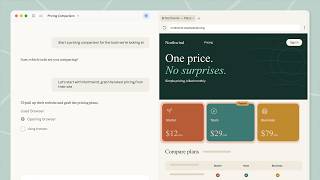
Anthropic introduced a built-in browser for Claude Cowork in its desktop app on August 26, enabling Claude to navigate sites, read pages, click controls, and fill forms in a side panel. The feature is rolling out to Pro, Max, and Team plans, while Enterprise owners can enable it for their organizations. Anthropic states that the browser is separate from users' personal browser data unless they explicitly import site logins.
Anthropic introduced a built-in browser for Claude Cowork in the Claude desktop app on August 26. The browser opens in a side panel when a Cowork task requires website access, allowing Claude to navigate pages, read content, click controls, type, and fill forms without switching to a separate browser window.
According to Anthropic's product announcement, the feature is intended for tasks such as collecting figures from dashboards, completing forms, and working through portals that lack a connector. It is rolling out this week to Claude Pro, Max, and Team plans in the desktop app; Enterprise administrators can enable it for their organizations starting now.
Separate browser session and login controls
Anthropic describes the new browser as separate from a user's personal browser. Claude does not receive access to personal tabs, bookmarks, or passwords by default. Users can selectively import saved site logins from Chrome, Edge, or Firefox on macOS, and from Firefox on Windows and Linux beta.
Anthropic's support documentation states that banking, email, and single sign-on sites are excluded from login import by default. It also warns that anything a user signs into within the built-in browser remains available to Claude in future Cowork sessions on that computer. Safari is not supported for login import.
The company distinguishes this workflow from its existing Claude in Chrome extension. Anthropic writes that the in-app browser is designed for delegating web tasks while a user continues other work, while the Chrome extension remains suited to pages already open in a user's browser and authenticated with existing accounts. Users can select their preferred browser in Cowork settings.
Desktop-hosted browser, cloud-accessible control
The browser runs inside Claude Desktop, and the desktop app must remain open and online for a Cowork session to use it, according to Anthropic's support article. A task begun on desktop can still be directed from Claude on the web or mobile while the desktop app remains active.
The Decoder reports that the capability can interact with sites even where no API is available. That expands the set of workflows an agent can technically attempt, but also places browser automation around more variable web interfaces, authentication states, and site-specific controls than conventional API integrations.
Anthropic acknowledges that browser-using agents face prompt injection risk, where instructions embedded in a webpage attempt to redirect the model's actions. The Decoder reports that Anthropic advises users to limit browsing to trusted websites. More generally, security practitioners evaluating browser agents often treat webpage content as untrusted input, particularly when agents can access authenticated portals or submit forms.
MacStories characterized Claude Cowork's implementation as a hybrid of desktop-resident and remotely controllable browser-agent approaches. For ML and automation teams, the practical distinction is the execution environment: Cowork's browser is tied to an active desktop installation rather than operating entirely as an independent cloud browser session.
The release adds browser-mediated interaction to Claude Cowork's existing task interface, while retaining a separate Chrome-based path for work in a user's already-open browser.
Key Points
- 1Claude Cowork can now operate websites in an in-app side panel, extending agent workflows to forms, dashboards, and portals without connectors.
- 2The browser isolates personal tabs and credentials by default, but imported or newly entered logins persist across Cowork sessions on that computer.
- 3Browser agents broaden automation coverage beyond APIs, while industry security practice treats webpage instructions and authenticated actions as higher-risk inputs.
Scoring Rationale
The release adds browser-based agent execution to Claude Cowork, making it relevant to teams evaluating knowledge-work automation. Its separate credential model and prompt-injection exposure are material implementation considerations for practitioners deploying browser agents.
Sources
Primary source and supporting public references used for this report.
Practice interview problems based on real data
1,625 SQL & Python problems across 15 industry datasets — the exact type of data you work with.
Try 250 free problems