Tiny AI Cursor Companion Enhances Desktop Interaction and Productivity
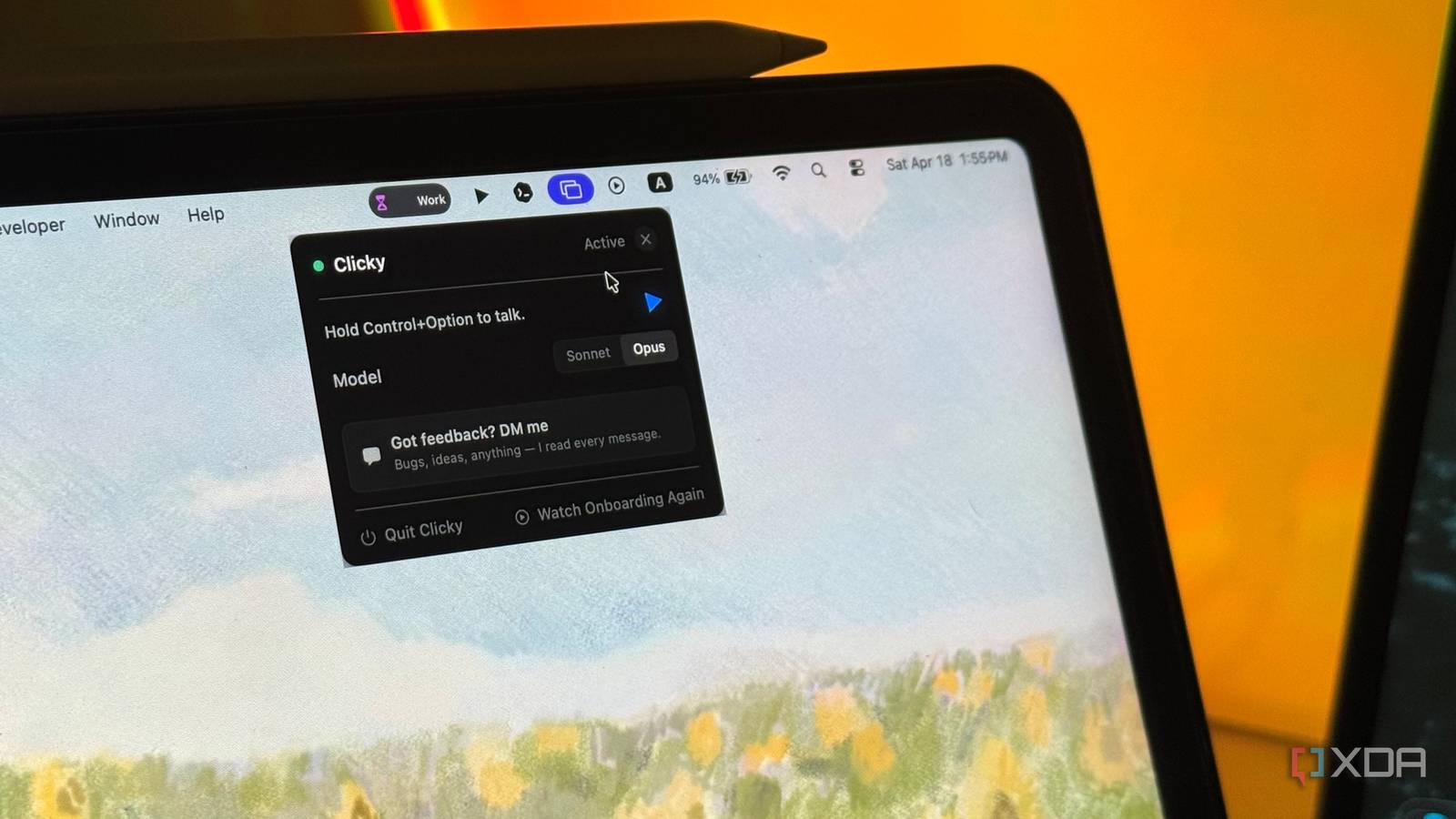
A lightweight, open-source assistant called Clicky places an animated AI buddy next to your cursor, watches your screen, and provides contextual help by pointing, speaking, and responding to queries. Built by Farza Majeed and shared as a community project, Clicky surfaces immediate, in-context actions without switching windows: summarizing content, highlighting UI elements, and offering fast explanations. Its novelty is the tight spatial coupling to the cursor and simple visual affordances, which reduce context switches more effectively than traditional sidebars or chat windows. For practitioners, Clicky is a useful example of tooling that blends simple vision capture, UI overlay, and conversational UX to make micro-interactions feel natural, while raising straightforward privacy and integration trade-offs for desktop workflows.
What happened
Clicky, an open-source AI "cursor buddy" created by Farza Majeed, runs as a tiny animated assistant that lives next to your cursor, observes the screen, talks back, and points to UI elements. The experience emphasizes immediate, local context rather than a separate chat window, turning micro-tasks like summarizing text, pointing at controls, or offering quick explanations into single-click interactions. The implementation is presented as lightweight and highly practical, and it already gained attention for breaking user fatigue around conventional productivity AIs.
Technical details
Clicky captures visual context from the active screen region, maps that context to intent, and surfaces responses through an overlay adjacent to the cursor. The prototype combines simple computer vision for screen-region selection with a conversational interface that can produce audio and animated gestures. Key UX choices include persistent spatial anchoring to the cursor, minimal-handoff dialogs, and direct pointing affordances that remove modal context switches. Developers should expect trade-offs around frame-grab frequency, input privacy, and permissions when integrating with OS-level overlays or browser extensions.
Context and significance
This project highlights a recurring design pattern: bringing intelligence directly into the user interaction locus, rather than asking users to move to an app or chat UI. That pattern echoes work in on-device assistants, always-on context windows, and research on attention-aware interfaces. Clicky is notable because it demonstrates high perceived value from a simple coupling of vision, short-form language responses, and spatial UX. For tool builders, this is a clear signal that micro-interaction AI, not only long-form generation, remains a high-leverage area for product differentiation.
What to watch
Evaluate privacy and security implications for screen capture in real deployments, and watch whether larger platforms adopt cursor-anchored assistants or expose APIs that make overlays safer and more performant. If adoption grows, expect the pattern to migrate into IDEs, office suites, and browser extensions where contextual, low-friction help yields productivity gains.
Key Points
- 1Cursor-anchored AI reduces context switching by keeping responses spatially tied to the user interaction locus, improving micro-task efficiency.
- 2Combining simple screen vision with conversational responses yields outsized user-perceived value without requiring large, multimodal models.
- 3Screen capture and overlay patterns create clear privacy and permission trade-offs, making integration and governance key for production use.
Scoring Rationale
A clever, practical UX pattern that matters to tool builders and productivity workflows, but it is a niche product innovation rather than a paradigm-shifting model release. It demonstrates high product leverage with modest engineering complexity, making it relevant but not industry-shaking.
Practice interview problems based on real data
1,625 SQL & Python problems across 15 industry datasets — the exact type of data you work with.
Try 250 free problems