Microsoft 365 Users Lack a Supported Switch for Copilot Upgrade Banner
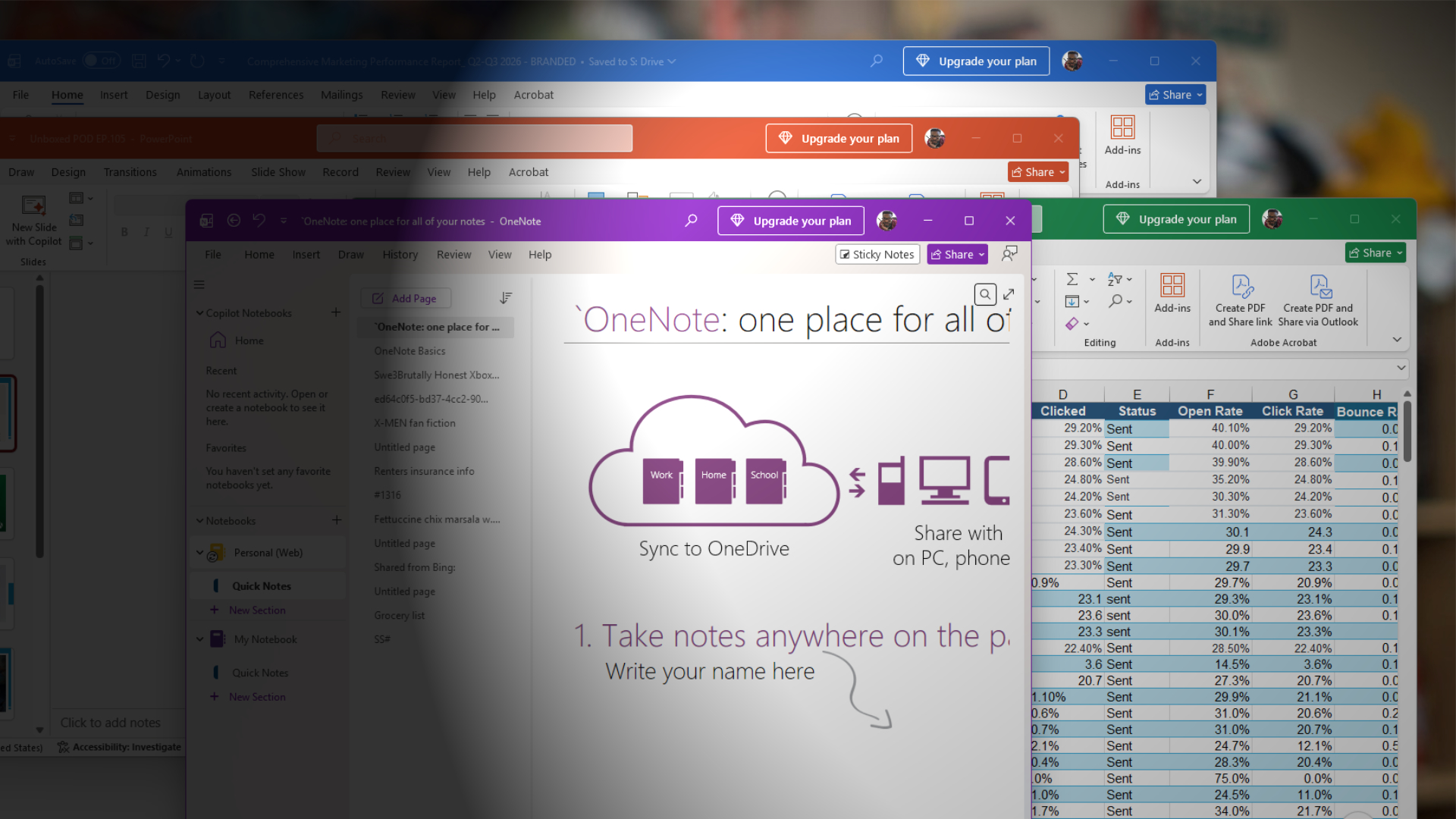
A Microsoft 365 user with an active subscription reported an "Upgrade your plan" banner in Office, and a Microsoft Q&A Independent Advisor said on July 9 that there was no supported option to hide it. The answer is not an official Microsoft product announcement, so the evidence supports a UI-control gap—not the seed report's claim that Microsoft formally admitted the banner was intentional.
Microsoft 365 users may see an "Upgrade your plan" banner in Office even when they already have an active subscription. In a Microsoft Q&A thread opened July 9, 2026, the user asked how to remove the banner from the ribbon. An Independent Advisor replied that there was currently no supported option to disable or hide it and suggested sending feedback through an Office app or Windows Feedback Hub.
The distinction around attribution matters. The response appeared on Microsoft's Q&A domain, but the responder is labeled as an Independent Advisor—not a Microsoft employee speaking for the product team. The available evidence therefore does not support saying Microsoft formally admitted the banner is intentional, nor does it establish a permanent product policy. It supports the narrower finding that the community support path did not identify a supported control for the banner.
What the report adds
Windows Latest retrieved the same thread and reported on August 4 that the banner can persist after common troubleshooting attempts. Its report also describes temporary reset steps, but those workarounds are not documented Microsoft controls and should not be treated as guaranteed fixes.
For administrators and paid subscribers, the practical issue is control and provenance. A promotional element inside a licensed productivity application can affect user experience and support volume, but remediation guidance should remain conservative until Microsoft publishes documentation or a managed setting. Users who encounter the banner can submit feedback and should avoid unsupported registry changes presented as permanent solutions.
The current evidence establishes a reported Microsoft 365 interface problem and the absence of a supported hide option in that Q&A answer. It does not establish how widely the banner appears, whether every subscription tier is affected, or whether Microsoft plans to change the behavior.
Key Points
- 1A paid Microsoft 365 user reported an Upgrade your plan banner in Office on July 9, 2026.
- 2A Microsoft Q&A Independent Advisor said there was no supported option to disable or hide the banner.
- 3The responder was not identified as a Microsoft employee, so the exchange is not an official product-policy announcement.
- 4Windows Latest separately retrieved the thread and reported the issue on August 4.
Scoring Rationale
The issue is relevant to Microsoft 365 users and administrators because it concerns controls inside paid Office software, but the available evidence is a single community support thread plus independent reporting rather than an official product announcement or measured rollout.
Sources
Public references used for this report.
Practice interview problems based on real data
1,625 SQL & Python problems across 15 industry datasets — the exact type of data you work with.
Try 250 free problems