Google Brings Gemini in Chrome to Android
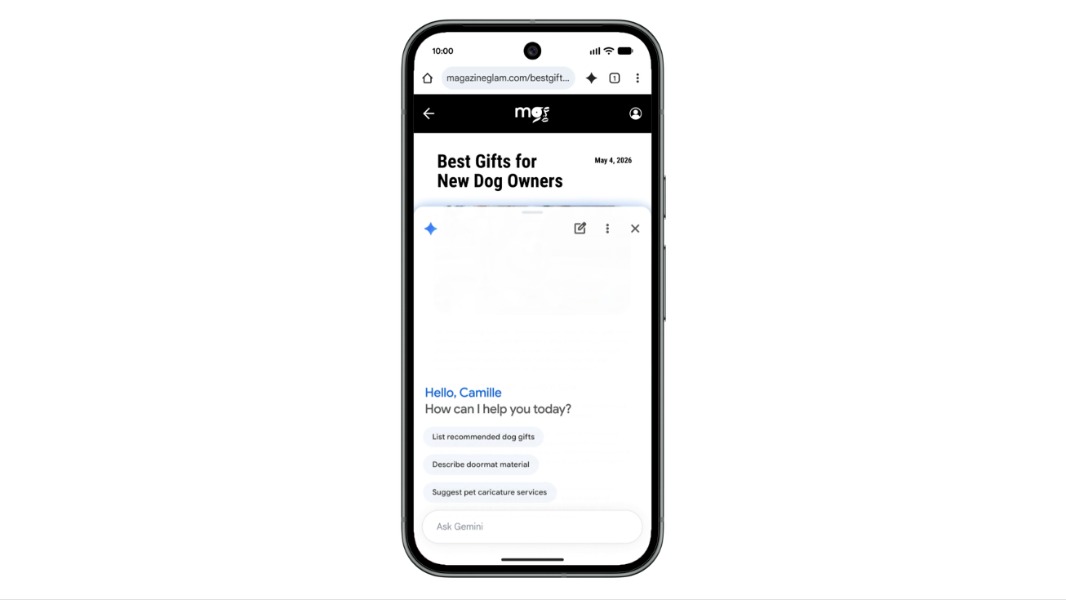
Google has made Gemini in Chrome available on Android in the United States. The browser assistant can use content from the current tab to summarize pages, answer questions, and explain concepts. Google documentation lists Android 12 or later, at least 4GB of RAM, the latest Chrome version, sign-in, and English device settings among the requirements.
Google has made Gemini in Chrome available on Android in the United States. The rollout brings the browser-based Gemini assistant to eligible Android users, with page-aware chat and, in preview, the agentic auto browse capability.
Google's Chrome support documentation states that Gemini in Chrome uses content from the current browser tab to provide takeaways, explanations, answers, comparisons, and recommendations. On Android, users open the feature through the "Ask Gemini" control in Chrome and must opt in on first use. The current page is shared by default, though users can stop sharing it from the chat interface.
Google lists several eligibility requirements: an Android phone or tablet running Android 12 or later, at least 4GB of RAM, the latest version of Chrome, Chrome sign-in, and English device settings. The feature does not work in Incognito mode. For work or school accounts, an administrator must enable access, according to the support page.
From page assistance to browser actions
Google's May 12 Chrome announcement described the Android release as an extension of Gemini in Chrome and said it would include auto browse. The company described auto browse as a mechanism for handling browser tasks such as booking parking or updating an order, while requiring confirmation before sensitive actions are completed.
The Gemini in Chrome product page characterizes auto browse as a U.S. preview rollout. It also describes capabilities that span Google applications, including surfacing a flight time from Gmail, checking Google Flights, and drafting an update without switching tabs. Those workflows depend on the permissions and account context available to Gemini, rather than only the content of one web page.
The product page also presents conventional browsing-assistance functions, including article summaries, explanations, comparison of options across tabs, and context-based suggestions. On Android, the support documentation specifically describes current-tab sharing; it does not document the desktop capability to share up to 10 open tabs.
Practical implications for AI teams
For enterprise users, the distinction between page-aware assistance and browser automation is operationally important. Page summarization exposes the content of an active tab to the model, while automated workflows can introduce additional concerns around authorization boundaries, transaction confirmation, auditability, and failure recovery. Google's stated confirmation requirement for sensitive actions is therefore a relevant control, but teams evaluating agentic browser features commonly assess the full permission model and the types of sites or actions covered by a preview.
The Android constraints also matter for testing and deployment. Teams validating browser-based AI workflows need representative devices that meet the Android version and memory threshold, plus account configurations that reflect consumer, managed-workspace, and Incognito restrictions. Because Google states that Gemini in Chrome is being released gradually, eligible users may not immediately see the feature.
Google's documentation does not specify which underlying Gemini model serves Chrome requests, the retention policy for page context, or a detailed list of sites supported by auto browse. Those implementation details remain material open questions for organizations considering browser-mediated AI assistance in managed environments.
Key Points
- 1Gemini in Chrome reaches eligible Android users in the U.S., extending page-aware browser assistance beyond desktop and iOS contexts.
- 2Google documents current-tab sharing, opt-in controls, and Incognito exclusion, making account and browser-state configuration central to evaluation.
- 3Agentic browser features commonly increase the importance of permission boundaries, transaction confirmation, audit trails, and failure recovery testing.
Scoring Rationale
The Android rollout puts Gemini-assisted browsing and a preview of browser automation in front of a large mobile user base. It is notable for practitioners evaluating consumer-facing agentic interfaces, although Google has not published key implementation details such as the serving model or full auto browse coverage.
Sources
Primary source and supporting public references used for this report.
Practice interview problems based on real data
1,625 SQL & Python problems across 15 industry datasets — the exact type of data you work with.
Try 250 free problems