Flyline Adds Syntax Highlighting and AI to Bash
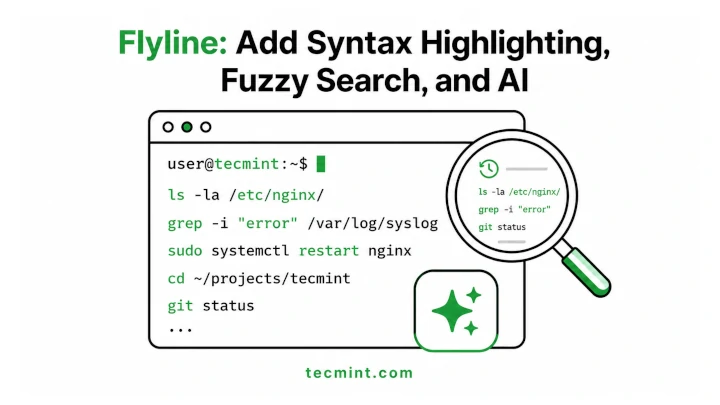
Flyline is a Bash line-editing plugin that adds syntax highlighting, fuzzy history search, mouse support, rich prompts, and AI-assisted command writing to Linux and macOS shell workflows. The July 2026 TecMint guide is mainly an installation walkthrough, but the official GitHub repository shows the broader product shape: Flyline replaces readline-style editing with a Rust-based interface that runs in the same Bash process. For developers, the practical value is faster command recall and safer interactive editing; the risk is that AI command generation still needs review before execution.
Flyline is small in market impact, but it points at a real developer-tools pattern: AI is moving into the command line as an inline assistant rather than a separate chat window. The LDS angle is not the install command itself; it is how terminal UX, fuzzy retrieval, and agent-assisted command writing are converging inside everyday shell workflows.
What happened
TecMint published a July 2026 guide showing how to install Flyline for Bash on Linux. The project describes itself on GitHub as a Bash plugin for modern command-line editing, with syntax highlighting, fuzzy history search, mouse support, rich prompts, tooltips, and agent-assisted command writing.
Technical context
Flyline positions itself as a replacement for the readline editing layer users interact with when Bash prompts for a command. Its GitHub README says it is written in Rust, uses Ratatui for terminal UI rendering, and runs in the same process as Bash. That makes it closer to a shell interaction layer than a standalone terminal emulator.
For practitioners
The useful workflow gain is command discovery and recall: fuzzy history, autosuggestions, mouse-aware editing, and AI-assisted command drafting can reduce friction in repetitive shell work. The safety boundary is unchanged: generated commands should be inspected before execution, especially when they touch files, credentials, production systems, or package installs.
What to watch
Watch whether Flyline's agent mode becomes a durable shell primitive or remains an optional novelty. Adoption will depend on stability, shell compatibility, transparent configuration, and whether developers trust the command-generation path enough to keep it enabled.
Key Points
- 1Flyline adds syntax highlighting, fuzzy history, mouse support, rich prompts, and AI-assisted command writing to Bash.
- 2The official repository frames Flyline as a Rust-based replacement for readline-style command editing inside Bash.
- 3Developers may gain faster shell interaction, but AI-generated commands still need review before execution in sensitive environments.
Scoring Rationale
This is a useful developer-tool update for shell-heavy practitioners, especially where command recall and AI-assisted command drafting matter. It is practical and on-topic, but the current evidence is a project repository plus install guide rather than broad adoption or platform-level impact.
Sources
Public references used for this report.
Practice interview problems based on real data
1,625 SQL & Python problems across 15 industry datasets — the exact type of data you work with.
Try 250 free problems